
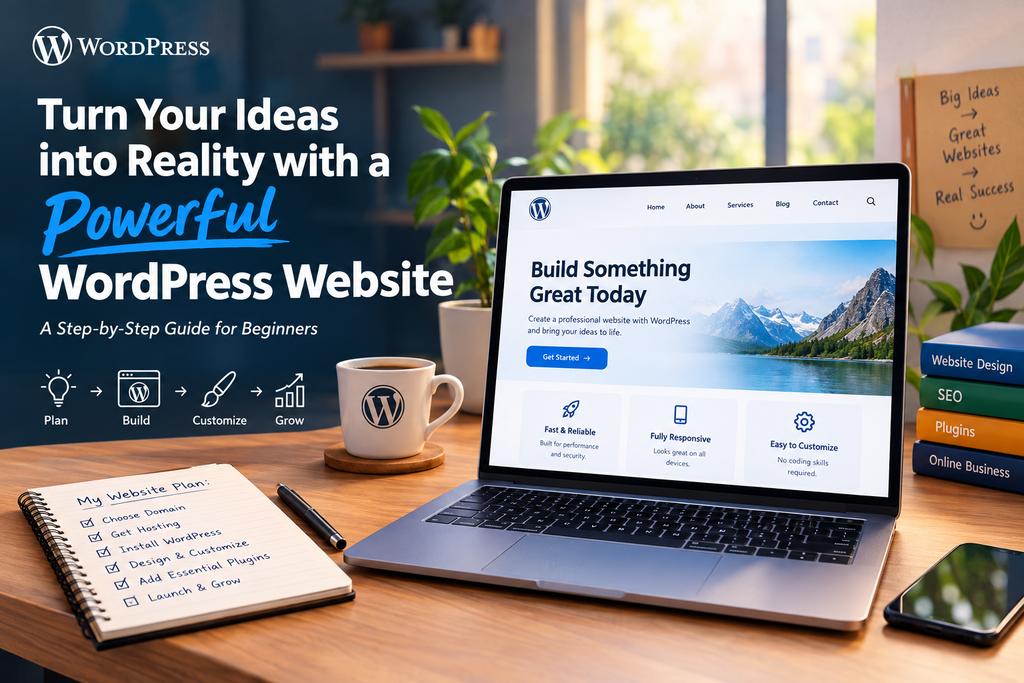
Introduction: Why Your Business Needs a Website
Imagine having a business idea that could reach thousands of customers, but no digital platform to showcase it. In today’s competitive online environment, a professional website can help transform that idea into a recognizable brand.
Whether you are a small business owner, freelancer, blogger, or aspiring entrepreneur, WordPress provides the tools to establish your online presence without requiring advanced programming skills.
With the right design, engaging content, and effective digital marketing strategy, your website can become a powerful tool for attracting visitors and growing your business.
Research Data: Why WordPress Is a Popular Choice
According to W3Techs’ website technology survey dated September 22, 2026, WordPress powers approximately 40.2% of all websites and holds a 58.8% market share among websites using a known content management system.
W3Techs
+1
WordPress at a Glance
Websites using WordPress
40.2%
CMS market share
58.8%
Source: W3Techs, September 22, 2026. Figures change over time.
These figures demonstrate WordPress’s widespread adoption and explain why it remains a significant platform for website creation.
How to Create a Powerful WordPress Website
1. Define Your Website’s Purpose
Before purchasing hosting or selecting a theme, determine what you want your website to achieve.
Ask yourself:
- Is it for a business, portfolio, blog, or online store?
- Who is your target audience?
- What action should visitors take?
A clear purpose helps you create a focused website that delivers value to visitors.
2. Choose a Domain Name and Web Hosting
Select a Memorable Domain
Your domain name is your website’s digital address, such as:
www.yourbusiness.com
Choose a name that is short, relevant, and easy to remember.
Select Reliable Hosting
Web hosting stores your website’s files and makes them accessible online.
When choosing hosting, consider:
- Website performance.
- Storage and bandwidth.
- Security features.
- Customer support.
- WordPress compatibility.
A strong foundation helps your website perform reliably as it grows.
3. Install WordPress
Once your hosting is ready, install WordPress through your hosting provider’s control panel.
Many providers offer one-click installation, making the setup process simple for beginners.
After installation, you can access the WordPress dashboard to manage your website’s pages, themes, plugins, and settings.
4. Design Your Website with a Professional Theme
Your website’s appearance creates an important first impression.
Choose a theme that reflects your brand and offers:
- Clean navigation.
- Mobile responsiveness.
- Attractive typography.
- Customization options.
- Fast-loading layouts.
Remember: A beautiful website should also be easy to use.
5. Customize Your Website Using Elementor
Elementor is a popular drag-and-drop website builder that allows users to design pages visually.
With Elementor, you can customize:
- Homepage sections.
- Headers and footers.
- Buttons and icons.
- Images and text.
- Service sections.
- Contact layouts.
This makes it easier for beginners to create professional-looking websites without extensive coding knowledge.
6. Create Essential Website Pages
A complete website should provide visitors with the information they need.
Important Pages to Include
| Page | Purpose |
|---|---|
| Home | Introduces your business |
| About Us | Builds trust and shares your story |
| Services | Explains what you offer |
| Blog | Shares useful information |
| Contact Us | Helps visitors connect with you |
Depending on your business, you may also need FAQ, privacy policy, and terms pages.
7. Add Essential Plugins
Plugins extend WordPress functionality and help you add useful features.
Some important plugin categories include:
- SEO plugins for search optimization.
- Security plugins for website protection.
- Backup plugins for data recovery.
- Contact form plugins for inquiries.
- Performance plugins for speed improvements.
Install trusted plugins that serve a clear purpose, and keep them updated.
8. Optimize Your Website for SEO
Creating a website is only the first step. You also need to help people discover it.
Basic SEO Practices
- Use relevant keywords naturally.
- Write helpful and original content.
- Optimize page titles and meta descriptions.
- Compress images.
- Improve website loading speed.
- Ensure mobile responsiveness.
SEO is an ongoing process that requires consistent effort and useful content.
9. Make Your Website Mobile-Friendly
Many visitors access websites through smartphones, so responsive design is essential.
Test your website on:
- Desktop computers.
- Tablets.
- Mobile phones.
Ensure that text is readable, buttons are easy to tap, and navigation works smoothly across screen sizes.
10. Launch and Maintain Your Website
Before making your website public, complete a final quality check.
Website Launch Checklist
- Test all links.
- Check contact forms.
- Review spelling and grammar.
- Optimize images.
- Test mobile responsiveness.
- Enable SSL security.
- Set up regular backups.
After launch, regularly update WordPress, themes, and plugins to support security and reliability.
Common Mistakes to Avoid
1. Overcomplicating the Design
Too many colors, animations, or unnecessary sections can confuse visitors.
2. Ignoring Website Speed
Slow-loading pages can negatively affect user experience.
3. Using Poor-Quality Content
Your content should clearly explain your services and provide value.
4. Forgetting Mobile Optimization
A website that works only on desktops may lose mobile visitors.
5. Neglecting Website Security
Use strong passwords, trusted plugins, updates, and backups.
Conclusion
Turning your ideas into reality with a powerful WordPress website is achievable with the right planning and tools. From choosing a domain to designing pages and optimizing SEO, every step contributes to building a professional online presence.
Start small, focus on quality, and let your website grow alongside your vision.
Frequently Asked Questions (FAQs)
1. Can I create a WordPress website without coding?
2. How much does it cost to create a WordPress website?
3. How long does it take to build a WordPress website?
4. Is WordPress suitable for business websites?
5. How can I make my WordPress website successful?